
Arduino based Arducopter UAV, the open source multi-rotor
  • Home
  • What do I need?
  • Where to buy?
  • Updates
  • IRIS Quadcopter UAV
    • Iris Manual >
      • Iris Introduction
      • Before you Fly
      • Flying
      • Advanced
      • Support
  • Have any Questions?
  • ArduCopter QuickStart
    • All Arducopter Guides

Adding an On-Screen Display (OSD) board to arducopter

2/23/2013

0 Comments

 
Picture
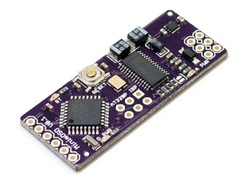
Arducopter has an inexpensiveOSD board called MinimOSD. It reads all the MAVLink data in the APM telemetry stream and overlays it on the video stream if you're using an on-board camera and wireless video transmitter. This is useful if you're flying in First Person View (FPV) mode or don't want to use a laptop at the field to see your telemetry data in the Mission Planner.

Basic Connection to arducopter

Picture
How to connect MinimOSD to arducopter, click for full size image
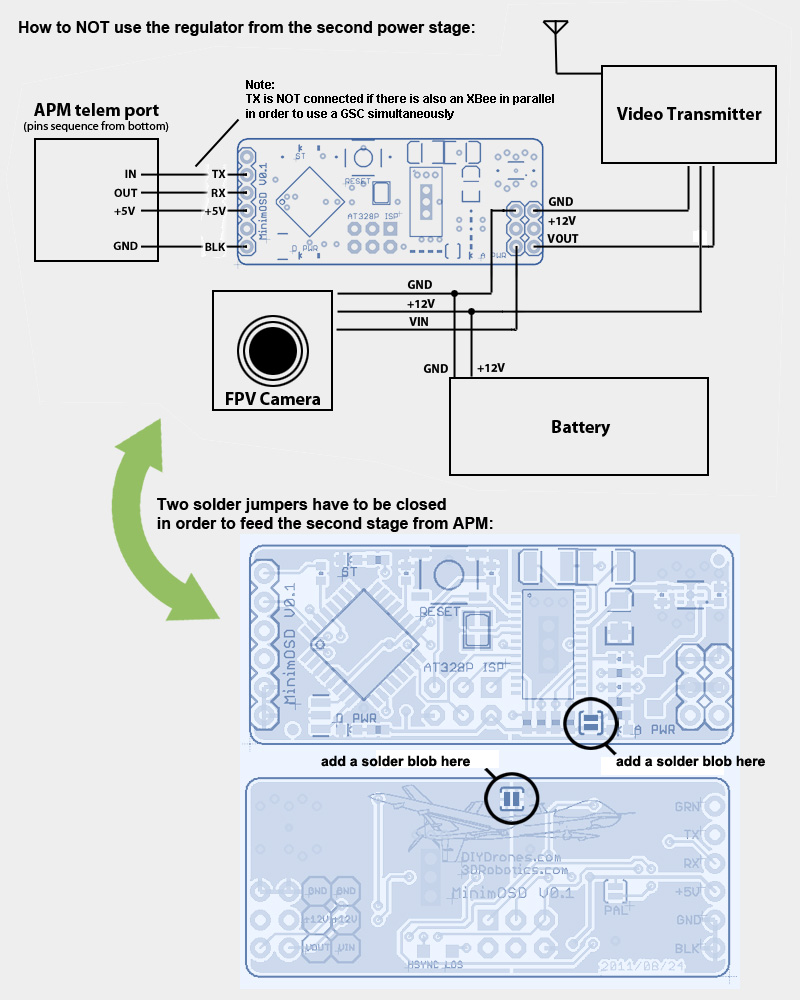
  • The orignal MinimOSD's power setup provides two stages to avoid noises coming from servos attached to your ArduPilot boards. Those noises could introduce some glitches on video signal. The independent analog powering from a dedicated battery will heat the board considerably, but the video is the most clean as possible from MAX7456.
  • Maybe you don't need to use the two stages. The way those noises would impact on the video signal will vary depending on a chain of aspects like servo's brand, model, cables length, etc. So, try yourself and see if it's important for your setup.
  • Here is the basic diagram which uses two stages approach of MinimOSD board: 

Optional setup for optimum cooling (older minimOSD boards)
Picture
  • The second stage regulator from the MinimOSD boards earlier than V1.1 gets too hot on 12V video setups. If your frame has not a good air flow for cooling the OSD board you may want to feed the OSD entirely from APM. Probably it will add some noises from servos, but you'll be more safe by this way: 

I want to use minimOSD at the same time as a telemetry link with my APM board

MinimOSD's TX is NOT connected if there is also a "wireless serial link" in parallel (E.g.: XBee) in order to use a Ground Control Station simultaneously.
To use a wireless serial link and MinimOSD at same time, you need to make an "Y" cable or prepare your APM board to have a parallel "mirror" connection from the telemetry port.  so essentially you will connect both the minimOSD and modem to the same connectors except for the minimOSD TX output.

MinimOSD config tool
Picture
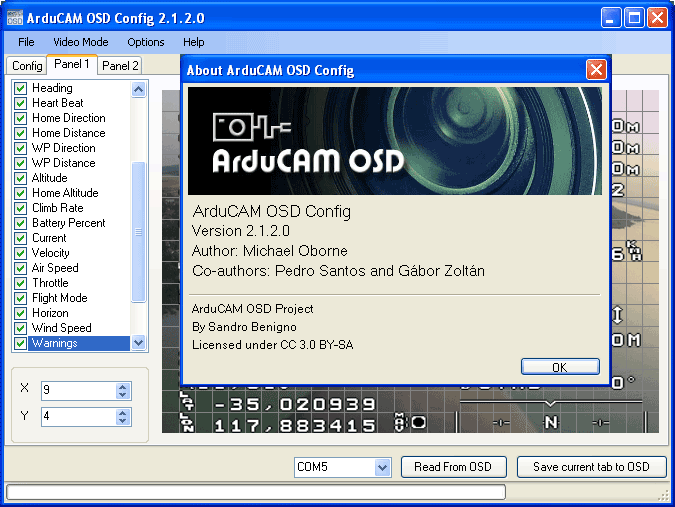
  • Thanks to Michael Oborne, we have now an incredible customization and the easiest setup of all MinimOSD's resources.
  • With ArduCAM OSD Config you can do all the job in just one place.
  • Everything, from update firmware or charset to enable/disable and positioning panels.
  • You can download it here
  • More details for the application can be gound here
0 Comments


Leave a Reply.

    Categories

    All
    Configuration
    Frame
    Mission Planning
    Optional Hardware

    RSS Feed